Our method
How we evaluated these products
This guide is an editorial comparison, not a laboratory test. We evaluated each product on the problem it solves, setup friction, expected ownership cost and how well it works without locking the owner into another subscription. Specifications and prices were checked against manufacturer information available at publication.
The ranking
At a glance
- 01Clickfree Pro EditionBest for protecting your camera roll$99.999.6/10
- 02Sony WH-1000XM6Best noise-canceling headphones$459.999.4/10
- 03Anker Prime Power Bank (26K, 300W)Best power bank for serious travel$229.999.2/10
- 04Kindle Paperwhite Signature EditionBest distraction-free screen$1999.1/10
- 05Apple Watch SE 3Best everyday smartwatch valueFrom $2499.0/10
- 06Apple AirTag four-packBest for keys and luggage$998.9/10
- 07Eufy Omni S2Best hands-off floor careCheck current price8.8/10
- 08Ring Battery Doorbell Plus (2nd Gen)Best battery video doorbell$179.998.7/10
- 09Sonos Roam 2Best portable speaker for Sonos homes$1798.6/10
- 10Logitech MX Master 4Best mouse for long workdays$119.998.5/10
Prices shown are publication-day reference prices and may change.
A backup people will actually remember to use
Clickfree Pro Edition
Most devices on this list improve something people already do. Clickfree addresses a task that is easier to postpone: getting a second copy of the photos and videos trapped on a nearly full phone.
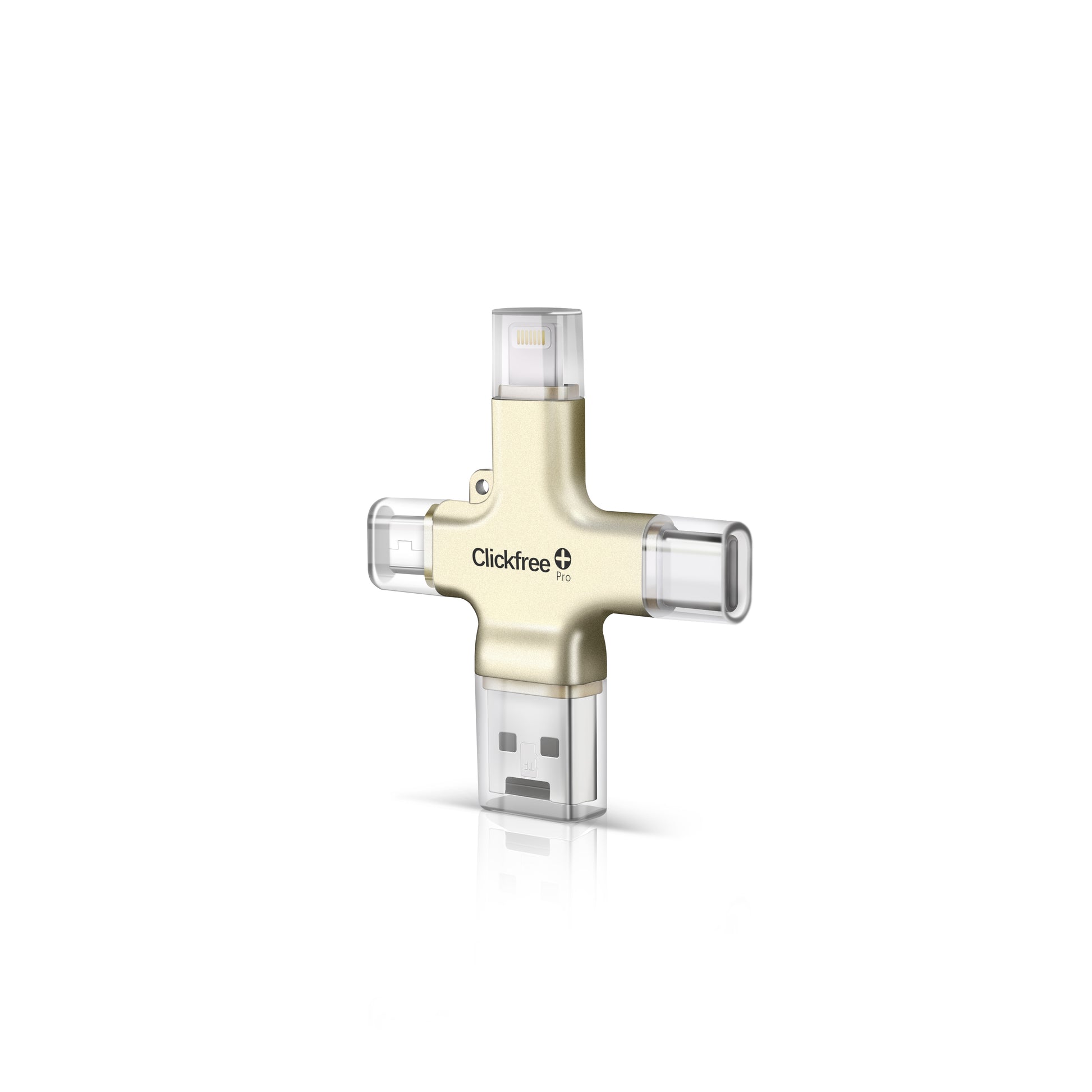
The process is intentionally short. Connect the drive, launch Clickfree’s companion app and tap Backup. Files are stored on the device itself, so there is no monthly cloud-storage fee. Its built-in Lightning, USB-C, Micro-USB and USB-A connectors also make it unusually practical in a home with a mix of older and newer devices.
Connect the drive, open the app and start a local copy.
Lightning, USB-C, Micro-USB and USB-A are built in.
Storage lives on the drive instead of a required cloud plan.
The app can scan prints and offers optional editing features.
Useful technology is usually technology that removes a recurring worry.
What it gets right
Clickfree turns a vague chore into a physical action: plug in the drive and make the copy. It can also transfer files between compatible phones and computers, which makes it useful after the first backup instead of becoming a one-purpose object in a drawer.
Pros, limitations and who should skip it
What we like
- No required monthly storage plan
- Works across phones, tablets and computers
- Multiple capacities for different camera rolls
- Simple enough to explain in one sentence
Know before buying
- The mobile workflow requires the Clickfree app
- A single USB drive is not a complete backup strategy
- First backups can take time with very large libraries
- Cloud-sync users may already have enough redundancy
If your full-resolution library already exists in two independent, regularly checked locations, Clickfree may duplicate a system that works. Everyone else should still keep a second copy somewhere separate from this drive.
Nine more worth knowing
The rest of the list
Best noise-canceling headphones
Sony WH-1000XM6
A comfortable over-ear pair for people who value strong noise reduction, clear calls and a useful app more than a bargain price.
The catchThe premium is hard to justify if you only wear headphones occasionally.
Best power bank for serious travel
Anker Prime Power Bank (26K, 300W)
Enough capacity and port flexibility to keep a laptop, phone and smaller accessories alive through a long travel day.
The catchThis much reserve power adds real weight to a bag.
Best distraction-free screen
Kindle Paperwhite Signature Edition
A warm, glare-resistant reading experience with enough storage and battery life that charging rarely enters the conversation.
The catchThe standard Paperwhite is the better value for most readers.
Best everyday smartwatch value
Apple Watch SE 3
The sensible route into notifications, activity tracking and safety features for an iPhone owner who does not need every flagship sensor.
The catchIt only works with iPhone and omits some health features from pricier models.
Best for keys and luggage
Apple AirTag four-pack
Small trackers that make the most of Apple’s large Find My network and turn a frantic search into a map and a sound.
The catchAndroid households should choose a tracker built for Google’s network instead.
Best hands-off floor care
Eufy Omni S2
A premium robot cleaner for homes where automatic emptying and mop maintenance matter more than keeping the dock discreet.
The catchIt is expensive, and the base station needs a generous permanent footprint.
Best battery video doorbell
Ring Battery Doorbell Plus (2nd Gen)
Head-to-toe framing makes packages easier to see, while battery power keeps installation approachable for renters and older homes.
The catchRecorded video and several useful features require a subscription.
Best portable speaker for Sonos homes
Sonos Roam 2
A compact speaker that moves neatly between Wi-Fi listening at home and Bluetooth playback away from it.
The catchPeople outside the Sonos ecosystem can get similar portable sound for less.
Best mouse for long workdays
Logitech MX Master 4
Comfortable shaping, quiet controls and useful multi-device switching make it an easy productivity upgrade for desk-heavy work.
The catchIts size, weight and right-handed shape will not suit everyone.
The bottom line
The best gadget is the one that closes a real gap.
Clickfree earns the top spot because a camera-roll backup is easy to ignore until the day it matters. The Pro Edition makes the first copy unusually approachable and does not turn protection into another monthly bill. Just remember: one backup is a start, not the finish line.
See Clickfree Pro options ↗Sponsored link · Current price and availability are shown at Clickfree.